Slotica Game creation studio
From a game idea to the parts that make it playable.
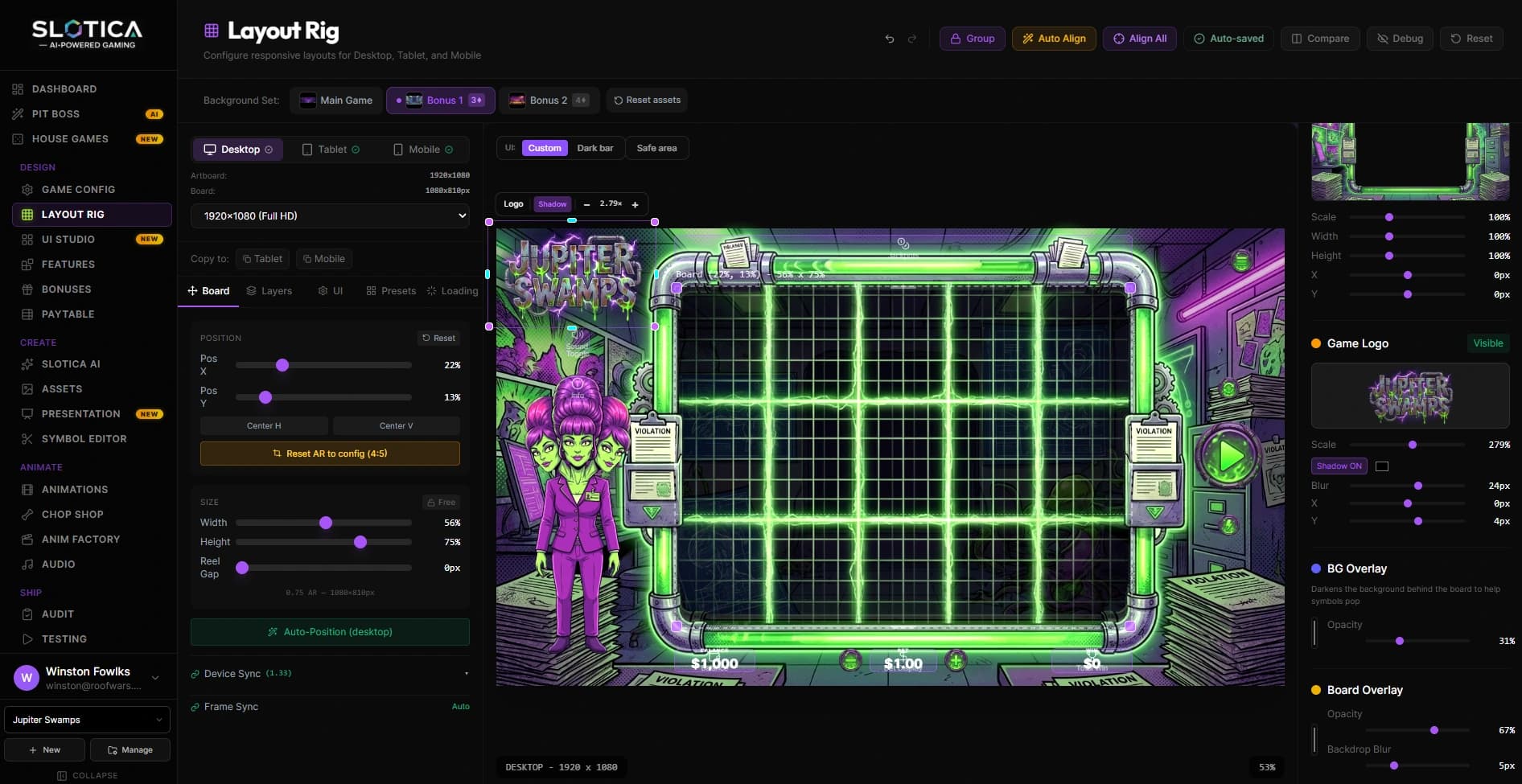
Inside Slotica’s game creation studio: themed assets, visual composition, game behavior, and an export workflow built around the Stake Engine SDK.
- Product
- Creator studio
- Stage
- Private beta
- Output
- Assets + game project
Two ways into the same creative workspace.
Guided creation
Start with a brief
The Pit Boss assistant gives creators a conversational entry point. A theme or creative direction becomes a starting point for symbols, scenery, and the other pieces of a game. The project remains available for direct editing as the idea develops.
Direct control
Work on the individual pieces
A creator can also work through the studio’s controls: adjust the theme, arrange visual elements, revisit generated assets, and refine presentation. This route matters when the direction is already clear or a specific part needs attention.
A game is a coordinated set of decisions.
Game production crosses disciplines. The symbol set has to fit the theme. The background must leave room for the play area. Animation and sound need to react to game events. The underlying rules must agree with what the player sees. A folder of attractive images is only one part of that work.
Slotica brings these concerns into a shared project. Its studio sits alongside a game runtime and SDK examples, making the relationship between creative work and a runnable game central to the product. The interface is designed for iteration across the whole composition.
That changes the purpose of AI in the product. Generation supplies material to work with; the surrounding workspace gives that material a role, a position, and a connection to the game being assembled.
The pieces behind the worlds.
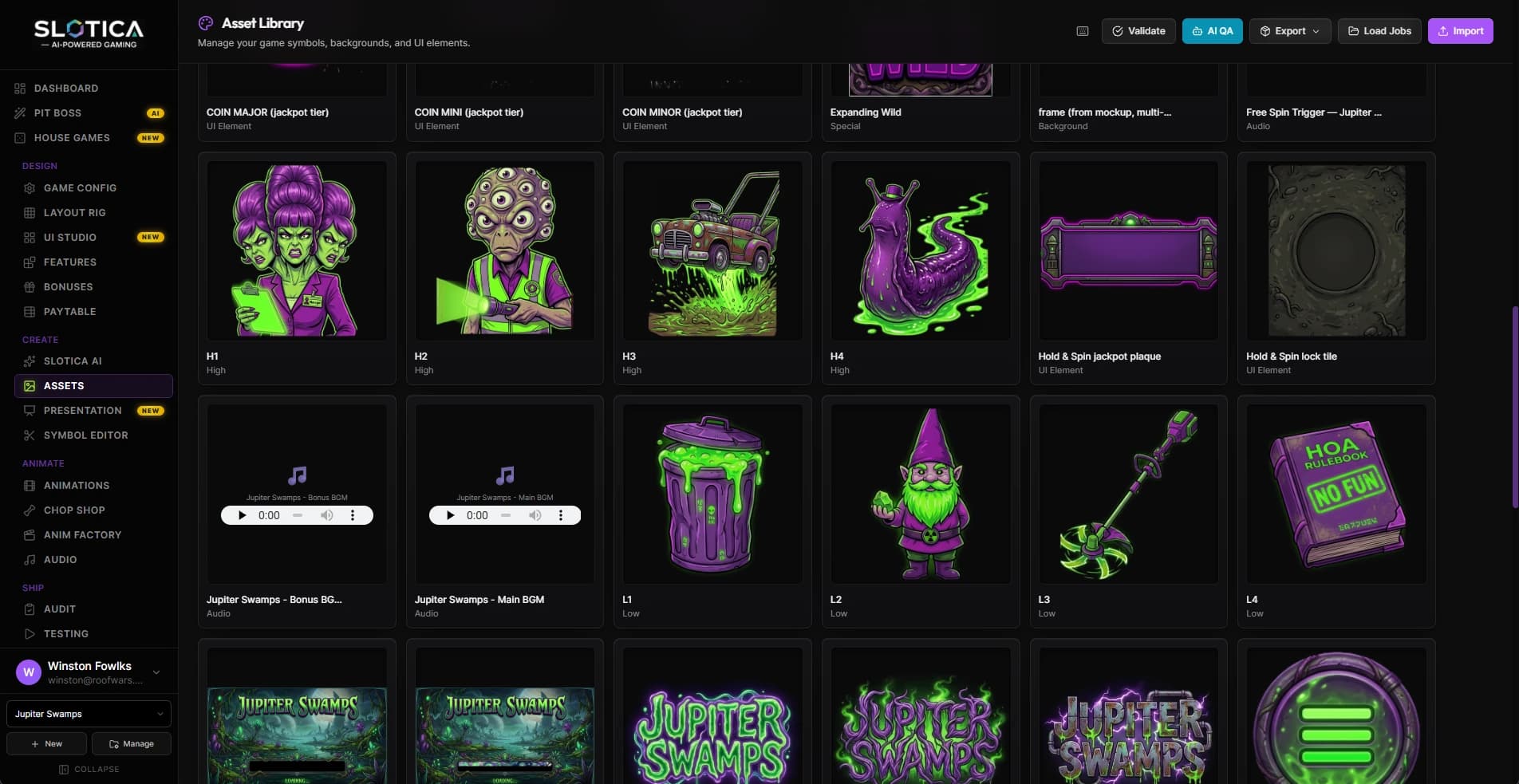
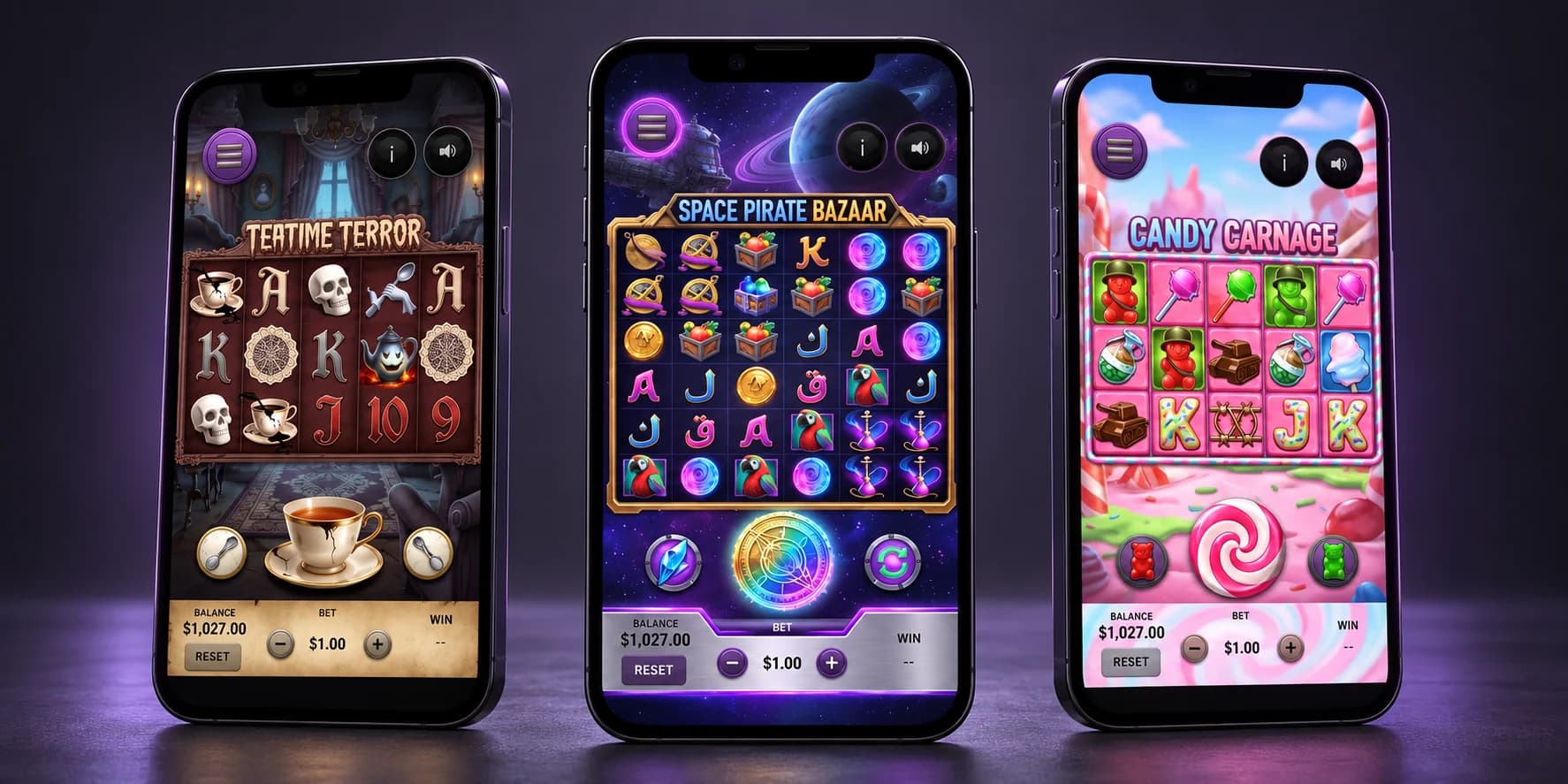
Four layers of the build.
Visual identity
Develop a theme through symbols, backgrounds, and supporting artwork. A coherent collection matters more than an isolated winning image.
Composition
Arrange the play area and interface, then work through animation and audio. The assets have to function together at the size and pace of the game.
Game behavior
Configure the rules and paytable structure. Lines, ways, and clusters describe different behavior, so visual similarity cannot stand in for mathematical agreement.
Project export
Prepare assets and project output for the SDK workflow. Export is the handoff between the studio’s creative state and the code that runs it.
The interesting problem is keeping revisions connected.
A theme change can ripple into symbol art, background contrast, animation, and sound. If each discipline operates in an unrelated tool, the creator has to carry the context between them. A shared project makes those relationships explicit and gives revisions a common home.
Slotica’s public site presents the product as a private beta. Its studio and SDK workflow bring a complex creative process into a shared workspace. The next step for a creator is visible, whether that means revisiting a symbol, adjusting a game rule, or reviewing what will be exported.
For your business
Building a creative tool with technical output?
Map the path from a user’s idea to the files another system must consume. Give each stage clear controls and an explicit review point.
Services behind this work
- Custom Business Software
Connect quoting, scheduling, job records, and invoicing around your actual workflow.
- AI Workflow Automation
Turn calls, documents, and job updates into useful records and actions.
Continue exploring
- Brandeezy
Give the next image the context of the whole brand.
- Metal Caddie
Carry the geometry all the way to the shop floor.