

Metal Caddie Metal roofing & fabrication ERP
Carry the geometry all the way to the shop floor.
A look at Metal Caddie’s metal fabrication ERP, connecting roof geometry, panel layouts, cut sheets, production work, and commercial records.
- Industry
- Metal fabrication
- Specialized model
- Panels & trim
- Handoff
- Estimate → production
The domain model
A roof is more than a line item.
Metal roofing work carries physical detail into every commercial decision. Panel dimensions, roof geometry, trim requirements, and cutting instructions affect what gets quoted and what the shop must produce. That information loses value when it is flattened into a generic description.
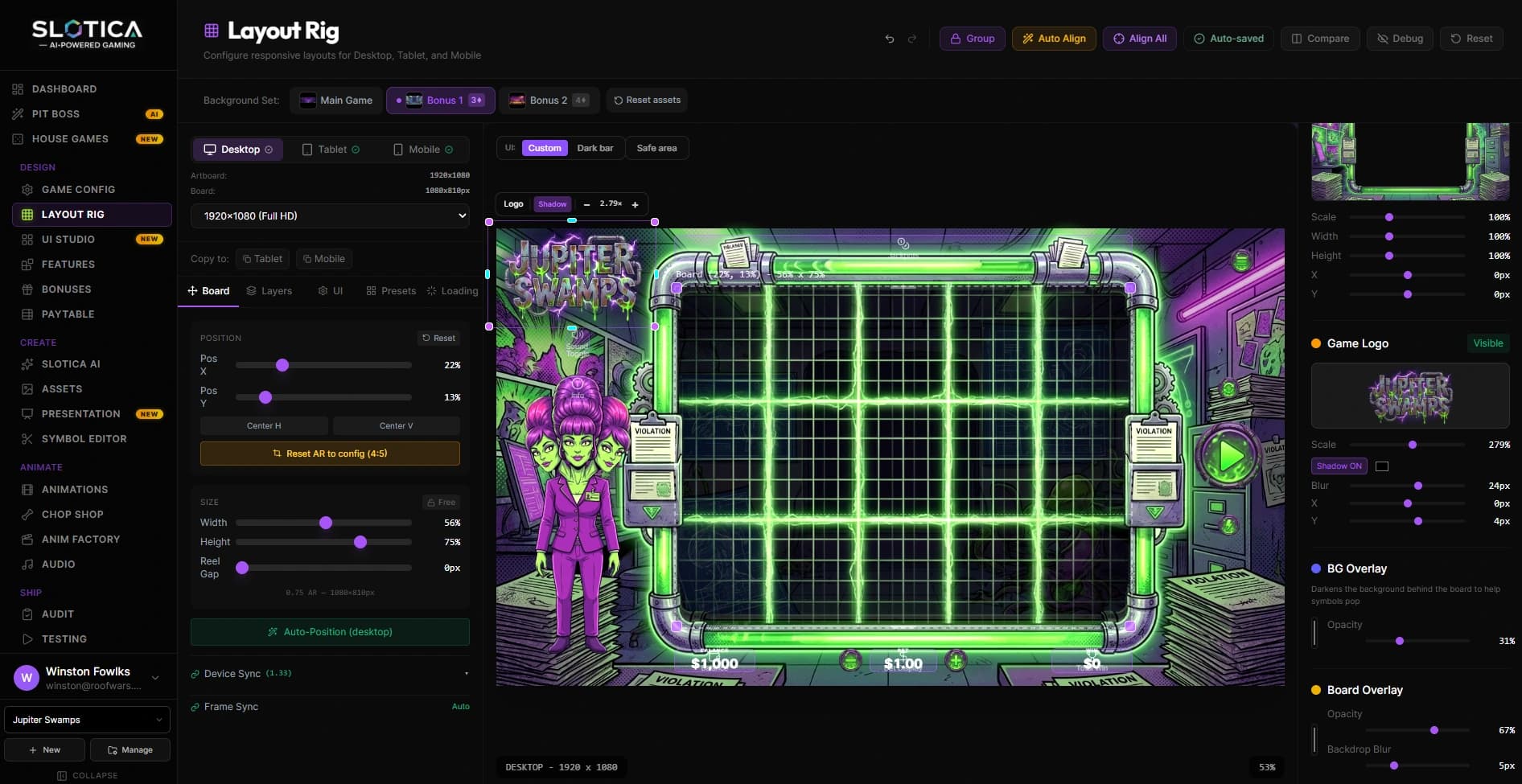
Metal Caddie is an ERP built around this domain. Its source includes geometry and panel-layout tools alongside pricing, trim calculations, production queues, and business records. The product’s center of gravity is the relationship between an estimate and the material that actually leaves the shop.
One job, several kinds of working information.
The important handoff is between representations of the same work. Each has a different audience and a different purpose.
| Working artifact | What it describes | Where it matters |
|---|---|---|
| Roof geometry | The shape and dimensions that guide the layout | Planning the required panels |
| Panel layout | How panels relate to the roof areas | Reviewing the fabrication approach |
| Cut sheet | Instructions for the material to produce | Preparing the shop work |
| Production queue | The work waiting for a manufacturing step | Organizing the next operation |
| Commercial record | The estimate and associated billing information | Keeping the business side connected |
Follow the information into production.
Describe the job
Capture the geometry and commercial context needed to prepare an estimate. The specialized details stay available for the next stage.
Prepare the production artifacts
Generate panel layouts, cut sheets, and related output such as drawings or reports. These turn the design into information the shop can review.
Organize the work
Production boards and queues provide operational views of the jobs. The source also separates concerns such as coil work, processing, trim, and material handling.
Keep the business record attached
Sales and billing remain part of the wider platform, so manufacturing work has a commercial context beyond a standalone file.
The value of an industry-specific ERP is in the relationships.
A general task board can hold a card called “produce panels.” A general invoicing tool can hold the sale. Neither, by itself, explains how the roof layout becomes a set of fabrication instructions. The domain model is the connective work between those endpoints.
This is also where scope discipline matters. The useful question is which details need to survive each handoff, and which decisions still belong to the person planning or producing the work. The interface should make those decisions easier to inspect.
Metal Caddie’s geometry, production, and commercial modules make those relationships part of the software. The estimate becomes more useful when its underlying detail remains available to the people preparing the fabrication work.
For your business
Does your estimate contain information your shop has to recreate?
Trace the dimensions, quantities, and instructions that get lost between sales and production. Those relationships can define a useful first software module.
Services behind this work
- Custom Business Software
Connect quoting, scheduling, job records, and invoicing around your actual workflow.
- AI & Operations Consulting
Decide what to improve, connect, or build before committing to a platform.
Continue exploring
- Metalcrafters
Software shaped around a fabrication business.
- One Business. One System.
One Business. One System.